While makers are building or testing Power Pages sites in trial or developer environments, there’s always a risk that these sites could accidentally be made public, exposing incomplete or sensitive content to external users.
We’re introducing a new governance control in Power Platform admin center (PPAC), that lets tenant admins restrict whether non-production sites can be set to public. This capability gives organizations the guardrails they need to keep development and test sites internal while maintaining full flexibility for production.
What’s changing:
- Tenant admins can now configure a setting in PPAC that controls whether makers can switch non-production Power Pages sites from Private to Public.
- When this restriction is enabled, makers will see an access restricted message in the Site visibility pane in Power Pages Design Studio, about the option to make the site public being disabled.
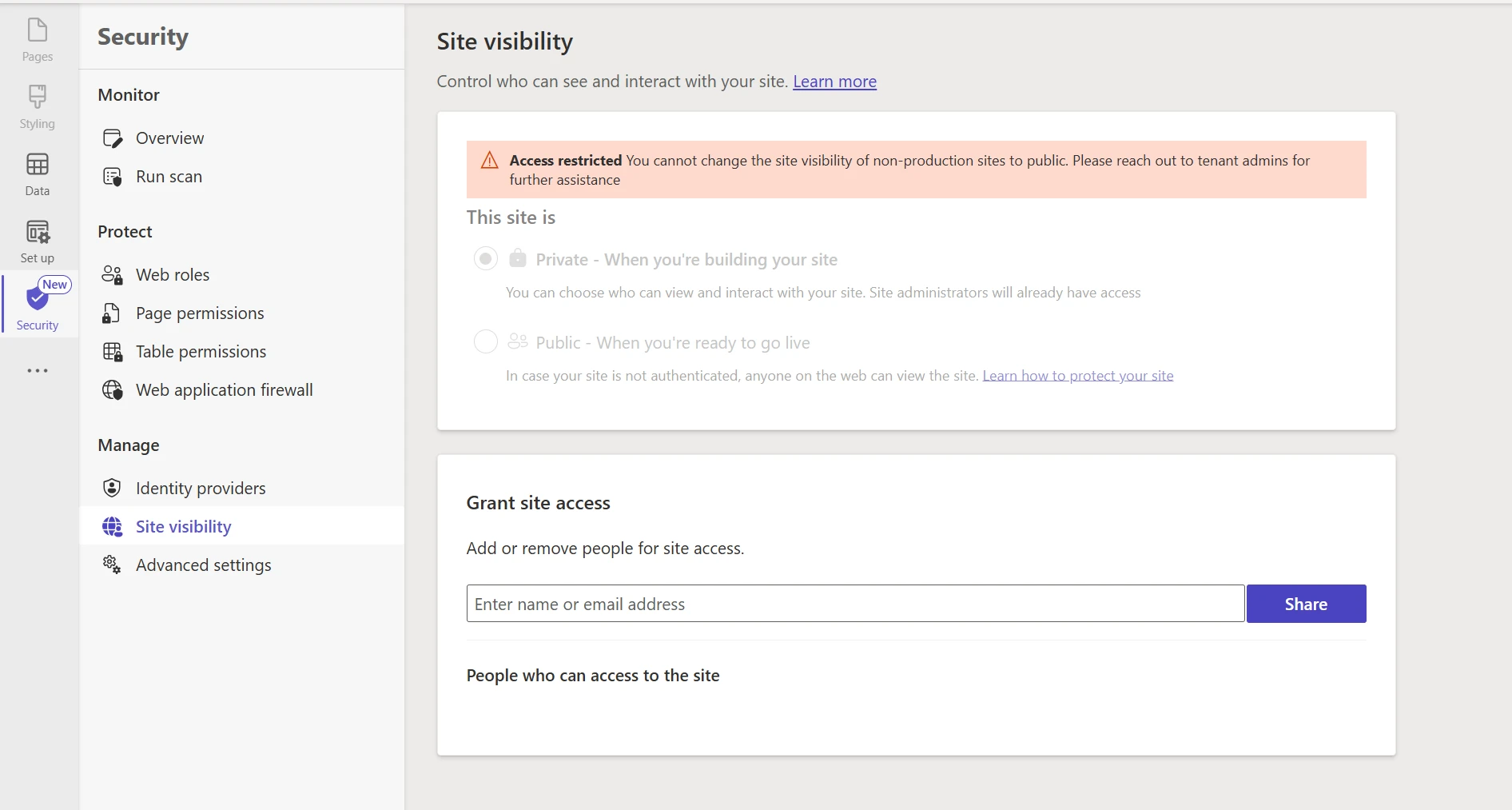
- This control applies only to non-production sites (trial and developer environments). Site visibility behavior for production sites is not affected.
- If a non-production site was already public before the restriction was applied, it remains public. However, if it is changed back to private, it cannot be switched to public again while the restriction is in effect.
- The governance control also offers site targeting options, so admins can selectively apply the restriction as per their organization’s needs. When this capability becomes available in your tenant, the default is ‘None’ which means makers will not be able to make non-production sites public until an admin explicitly changes the policy. You can review your setting promptly to avoid any unexpected impact.
How to configure:
- Sign in to the Power Platform admin center.
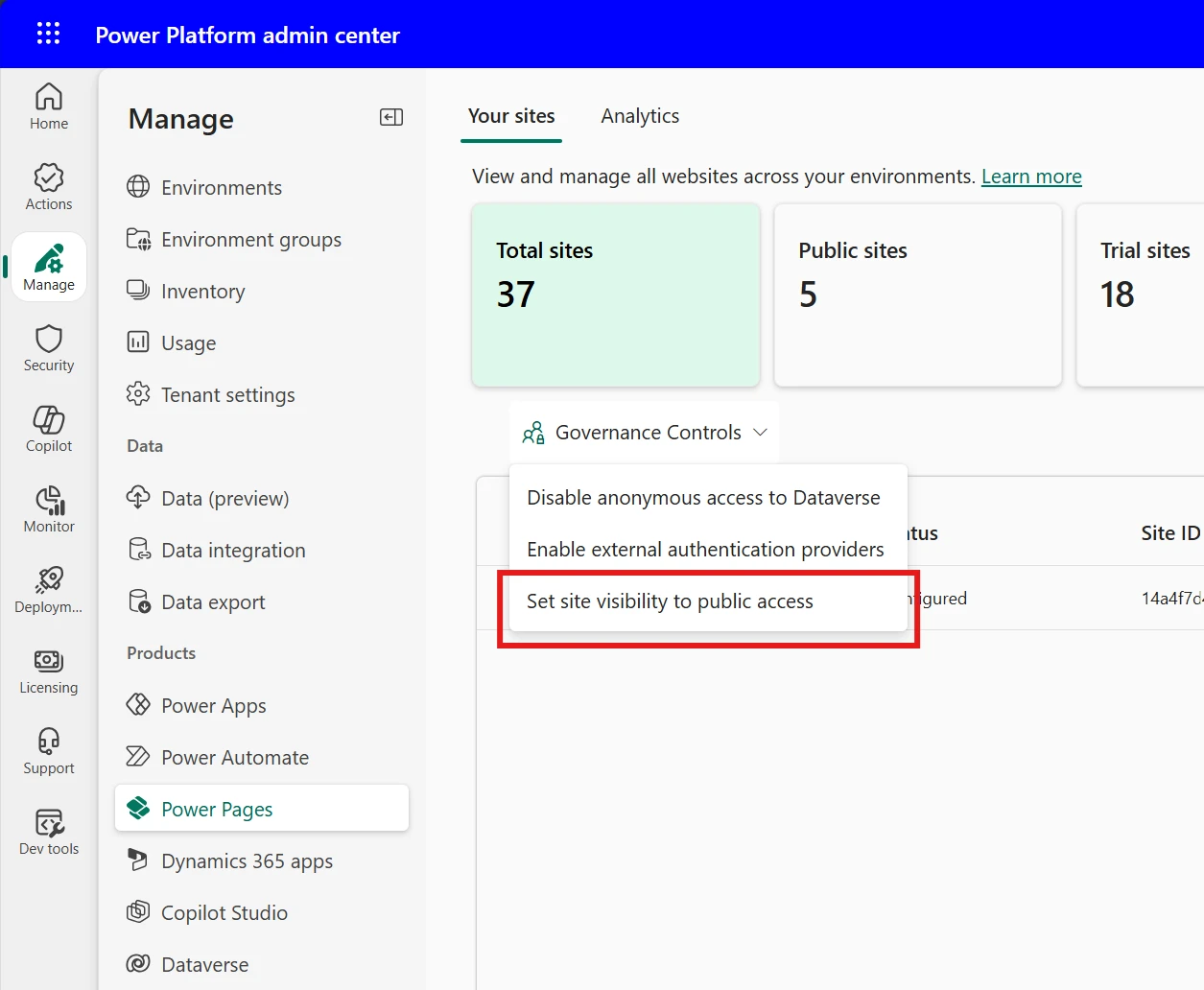
- Go to Manage > Power Pages > Governance controls.
- Select ‘Set site visibility to public access’ for non-production sites.
- Select the environment you want to manage.
- Choose a policy value for site targeting options.
- Save your changes. Changes take effect immediately in the maker experience.
Why This Matters
- Prevents accidental exposure of test, development, or staging sites to the public internet.
- Supports compliance by ensuring only approved production sites are accessible externally.
- Gives admins granular control with flexible site targeting policy options
- Makers see a clear message when a restriction is in place, with guidance to contact their admin if they need an exception.
Get Started
- Review the official documentation for site visibility governance: Admin Site Visibility Governance and Site Visibility in Power Pages.
- Enable the governance control in PPAC for your Environment.
- Use Power Pages Studio to verify site visibility settings.
We’d love to hear your feedback, share your thoughts on the Power Pages community forum