In a model-driven app there are multiple ways that you can work with records on a form including related tables in read only mode with a Quick View form, creating or editing a record using a main form dialog (MFD) or creating a record using a Quick Create form. We are pleased to announce a new preview feature that extends multi-entity experiences and provide the capability for a maker to add a related table main form as a component directly onto another table main form. This new feature provides a more streamlined experience when working with related information on a main form.
For example, if you want to directly edit a primary contact’s information on an account form, you can easily do this with the new form component.
You can add a form component directly inline on a main form or you can add it onto a tab. The component supports onLoad, onSave events, the main form save pipeline, form error handling and duplicate detection.
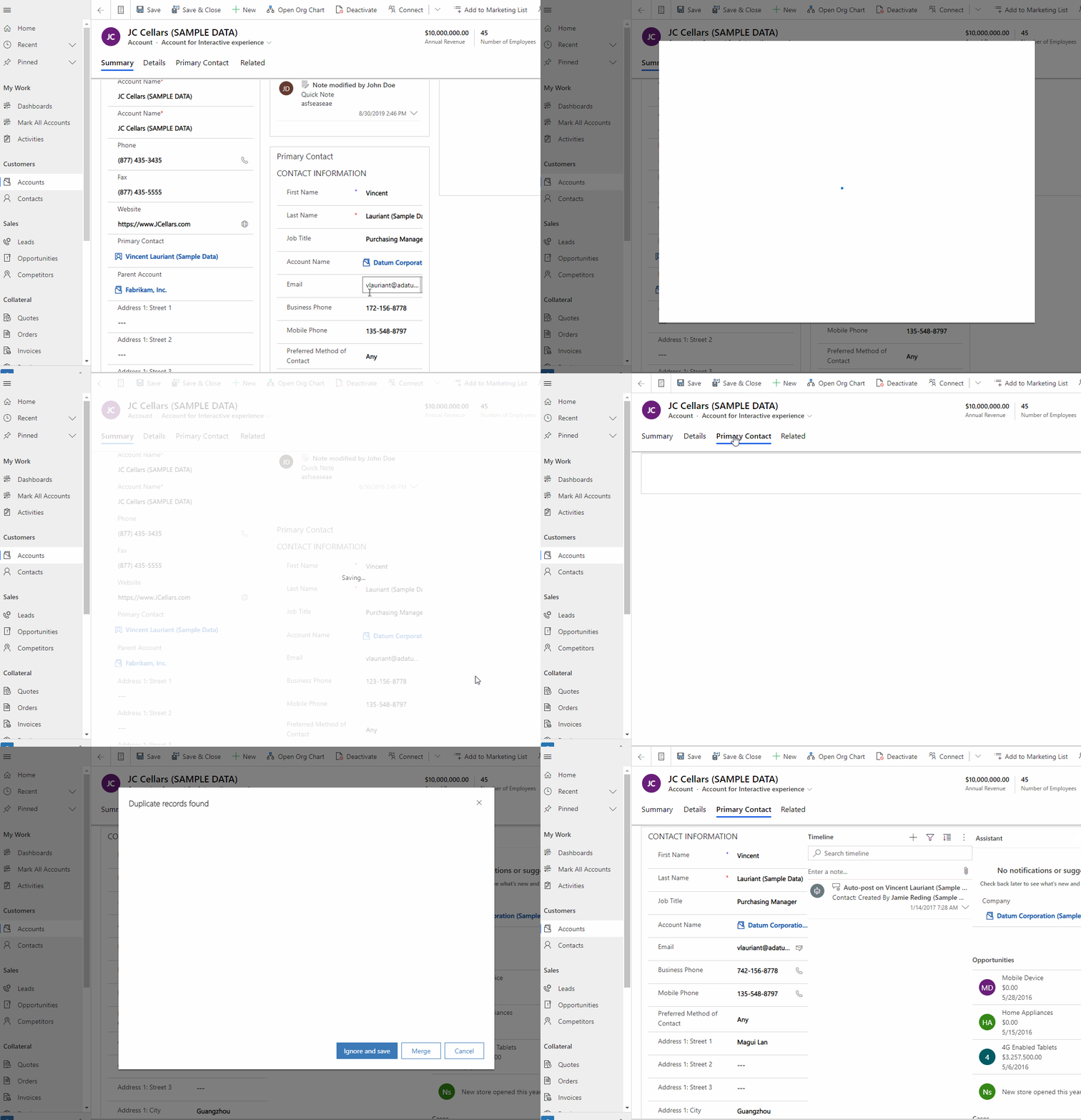
You can easily add a form component using a lookup control and configuring it using the legacy form designer. Please see the detailed documentation on how to add and configure a form component onto a main form.