If you should face a performance issue when printing original previews from sales invoice in MS Dynamics AX 2012 then the following illustrated workaround can save quite some time:
One time only setup steps:
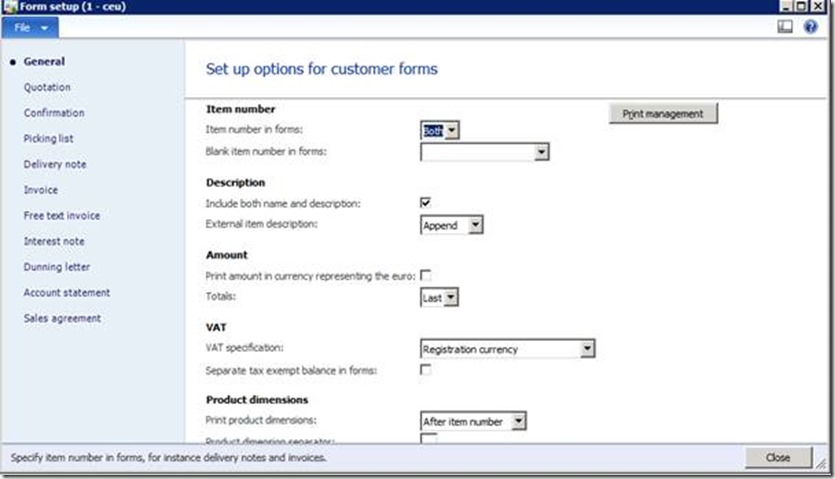
- Launch your MS Dynamics AX client and go to: Accounts receivables > Setup > Forms > Form Setup:
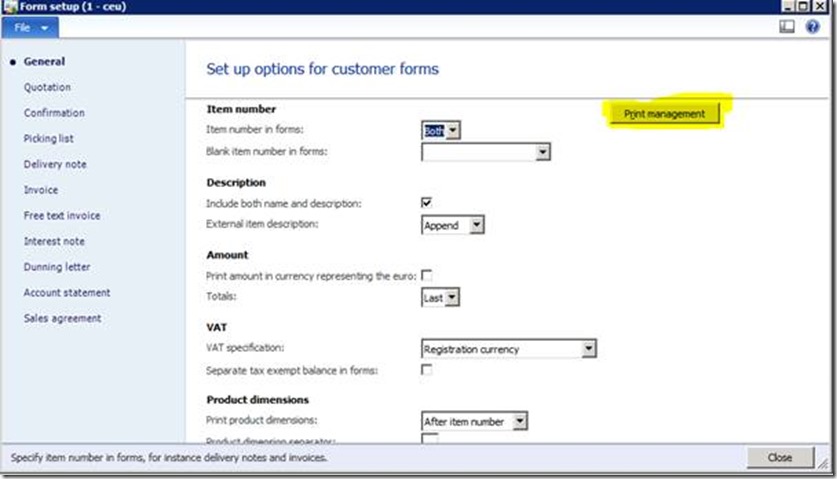
- Click Print Management button on the General tab
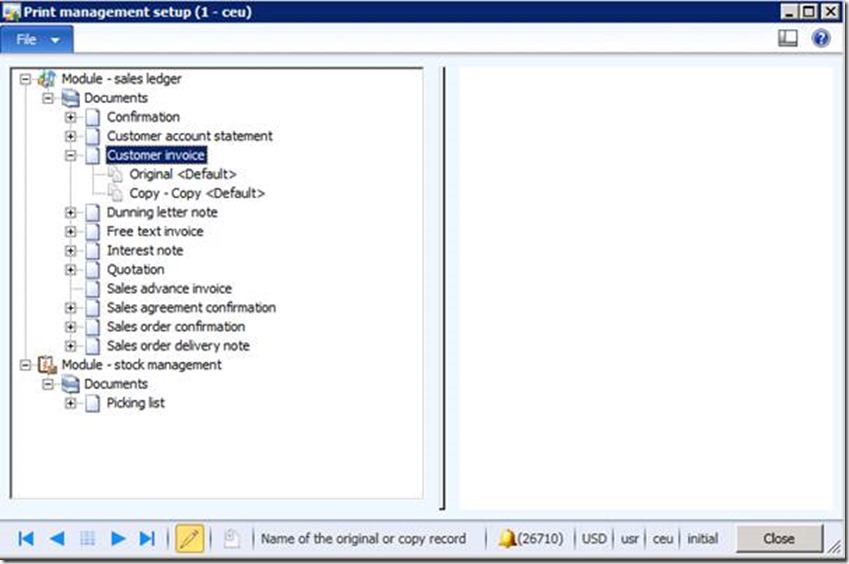
- Select Module > Documents > Customer Invoice
- Highlight Original <Default> and make sure that “Do Not Print” is enabled
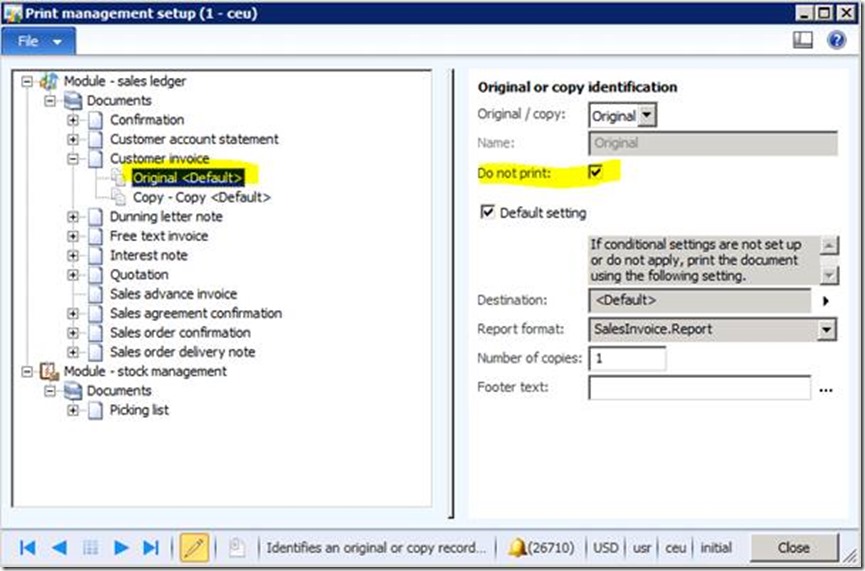
- Highlight Copy – Copy <Default> and make sure that “Do Not Print” is enabled
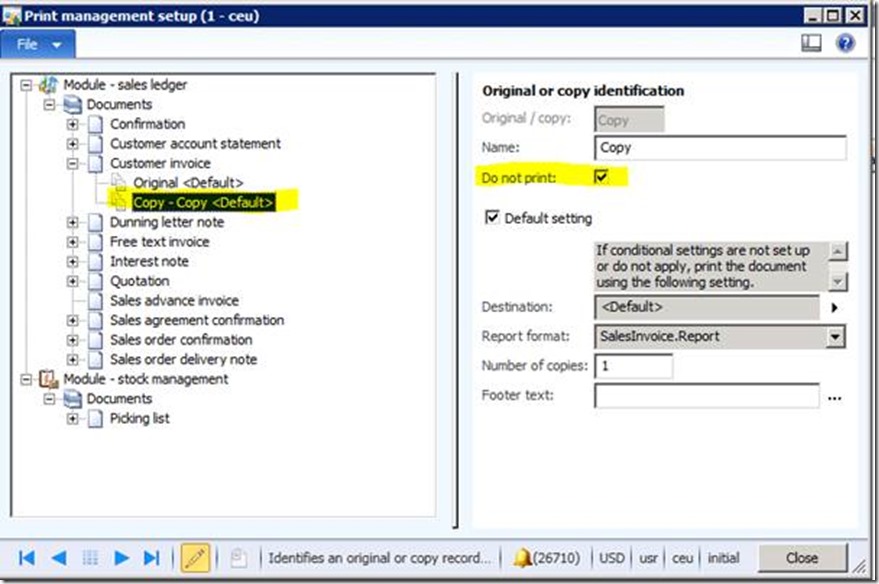
- Right click Customer Invoice, select New. Name the new item „Test“ (Note: Instead of Test you can take any other name as well)
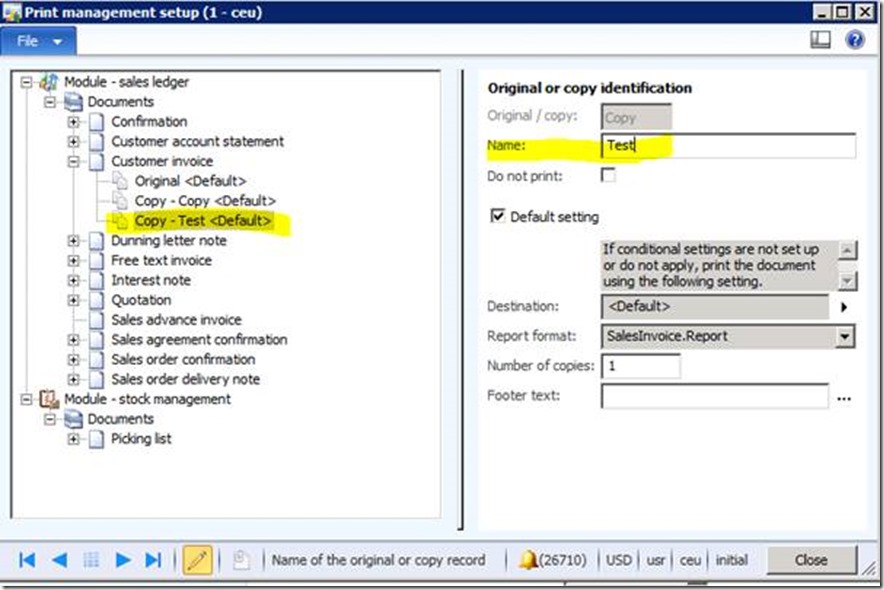
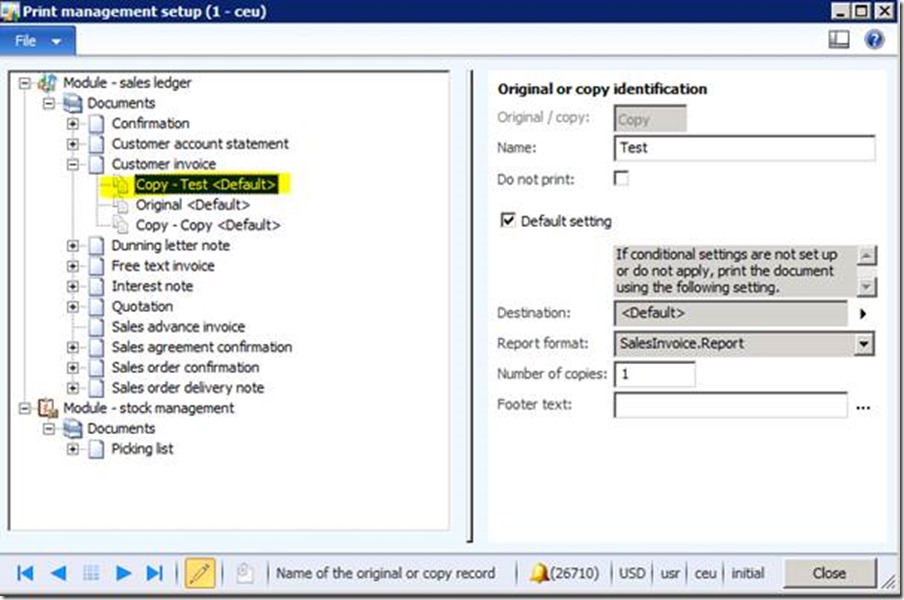
- Use the right click menu, Move up twice to place it to the top of the list:
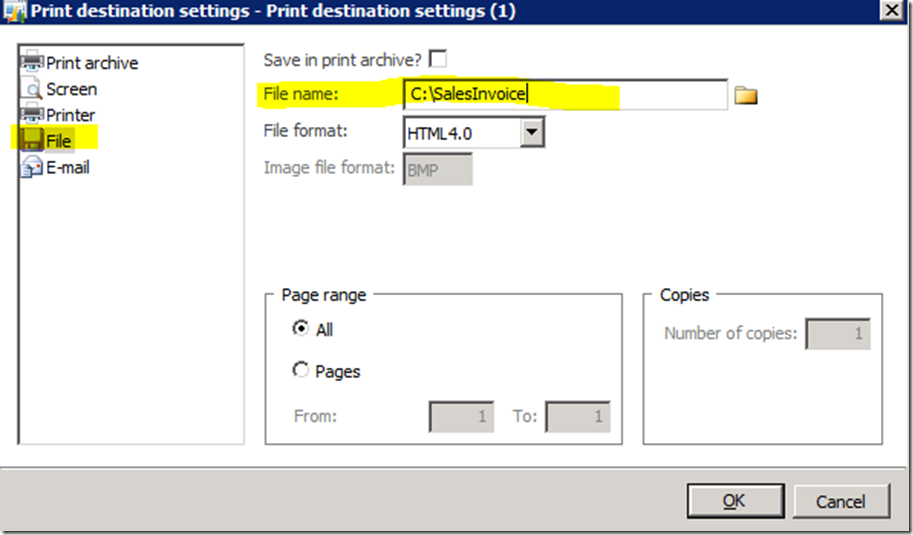
8) On your new entry „Test“, select the arrow next to Destination, and select Printer Setup
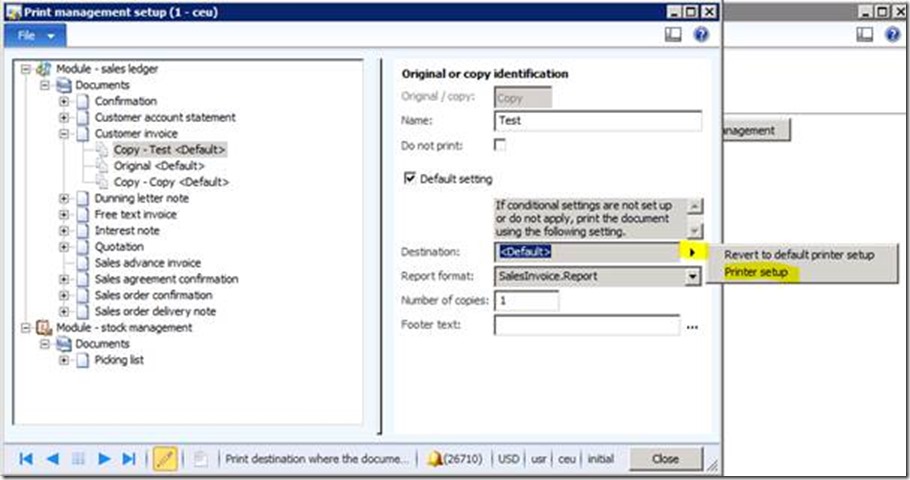
9) On the left hand side click on File and on the right fill in manually any existing path and file name (My example: C:\SalesInvoice). Apply by clicking on OK button and close and other open forms
Steps to test:
- Go to Accounts receivables -> Inquiries -> Journals -> Invoice journal
- Click into the line with your reference invoice that you used in your tests before
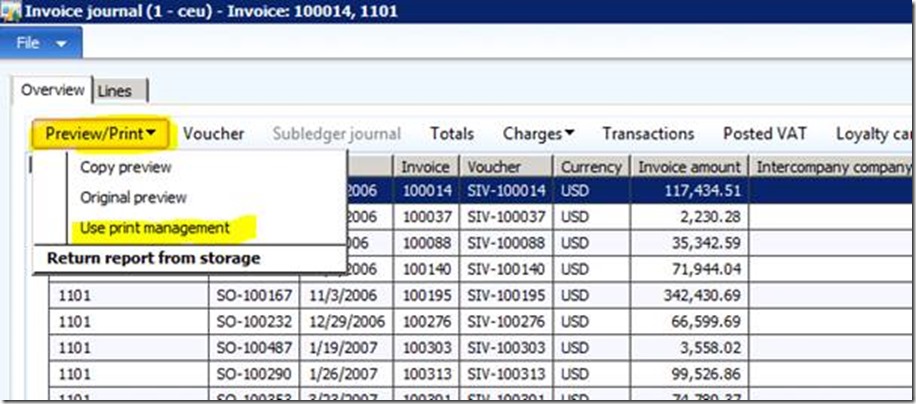
- Click on button Preview/ Print and choose Use print management:
- Open File Explorer and navigate to drive C:\ (Note: The path you configured in step 9) above) and see how fast the *.html file will be created. Just open the *.html file by double clicking it