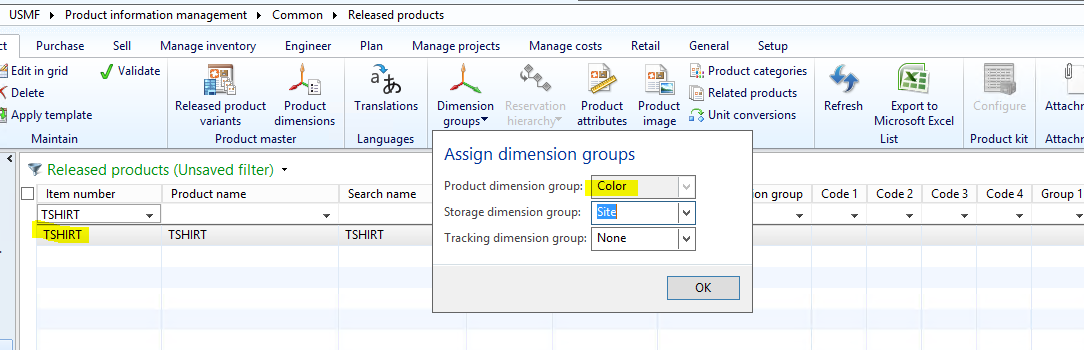
I have worked with several customers in relation to defaulting prices at the Item level based on differing Product dimensions where there has been some confusion about the Sales price not defaulting in appropriately. Let’s walk through an example of how Sales prices are interpreted in Sales orders from posted Trade agreements based on the Inventory dimensions that you have associated with a given item. For example, assume that you have an Item called TSHIRT that is associated with a Storage dimension group that is actively using Site\Warehouse\Location. You then have a Product Variant of Color associated with the TSHIRT, so you have a Product dimension group assigned that contains the Color Inventory dimension.
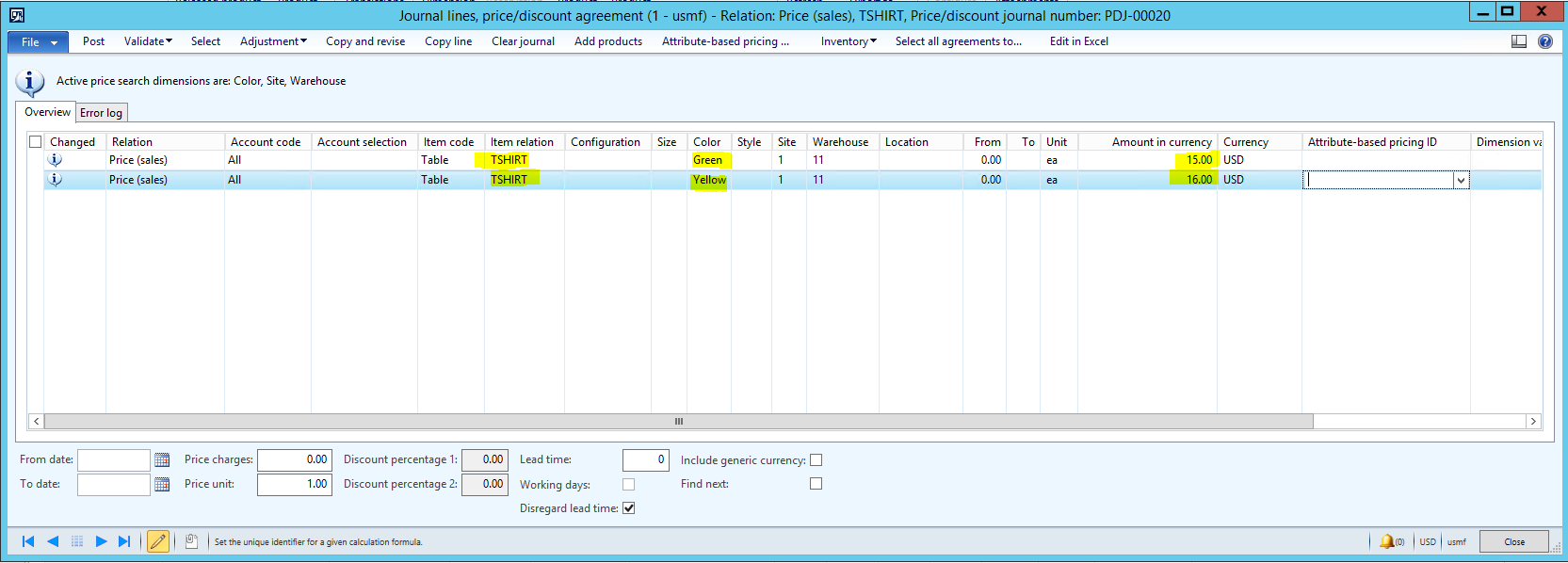
When I sell the GREEN TSHIRT out of Site 1/Warehouse 11, the Sales price should be $15.00. When I sell the YELLOW TSHIRT out of Site 1/Warehouse 11, the Sales price should be $16.00. To accomplish this scenario, I have created the following Trade agreement journal to differentiate pricing based on the Color of the TSHIRT:
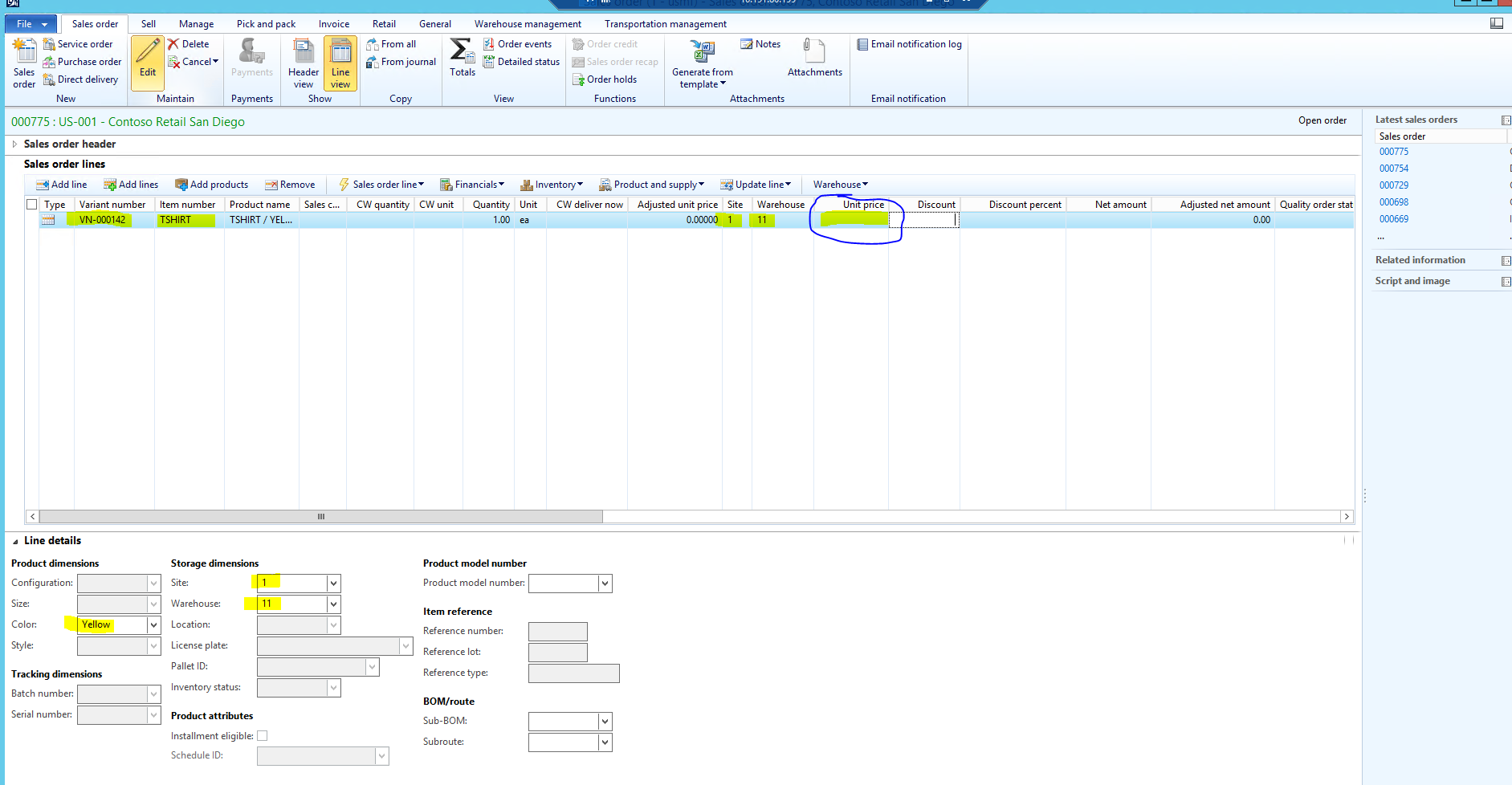
However, when I enter a Sales order for the GREEN TSHIRT, the Sales price does not default in at all:
The reason why the Sales price of $15.00 is not defaulting in for the Green TSHIRT Is because the Color Product dimension group that I have assigned to my TSHIRT item does not have the For sales prices option flagged for the Color dimension:
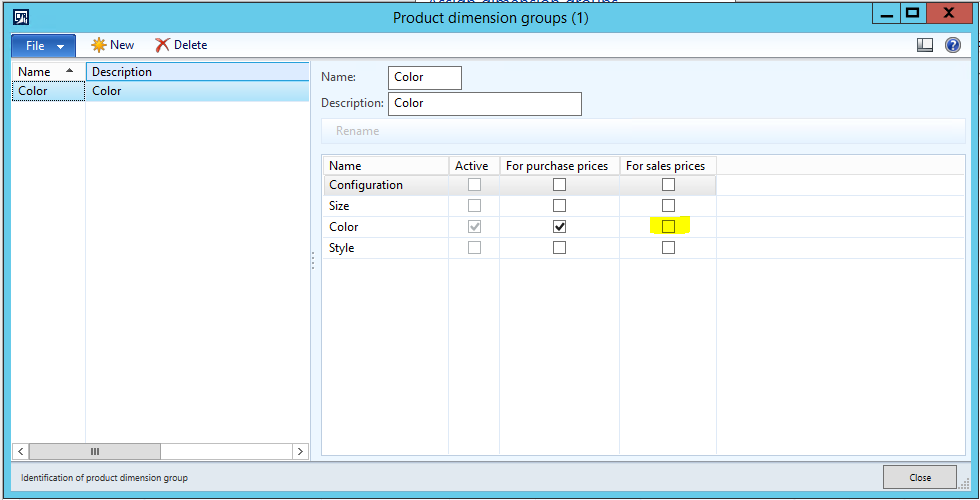
The Inventory dimension must have the ‘For sales prices’ option flagged at the Dimension Group level in order for the appropriate prices to be picked up based on what you had established in your posted Trade agreement journals. As a result, if I mark the ‘For sales prices’ option for the Color Product dimension group that is assigned to my TSHIRT item, the $15.00 Sales Price will default in when selling the GREEN TSHIRT on a Sales Order:
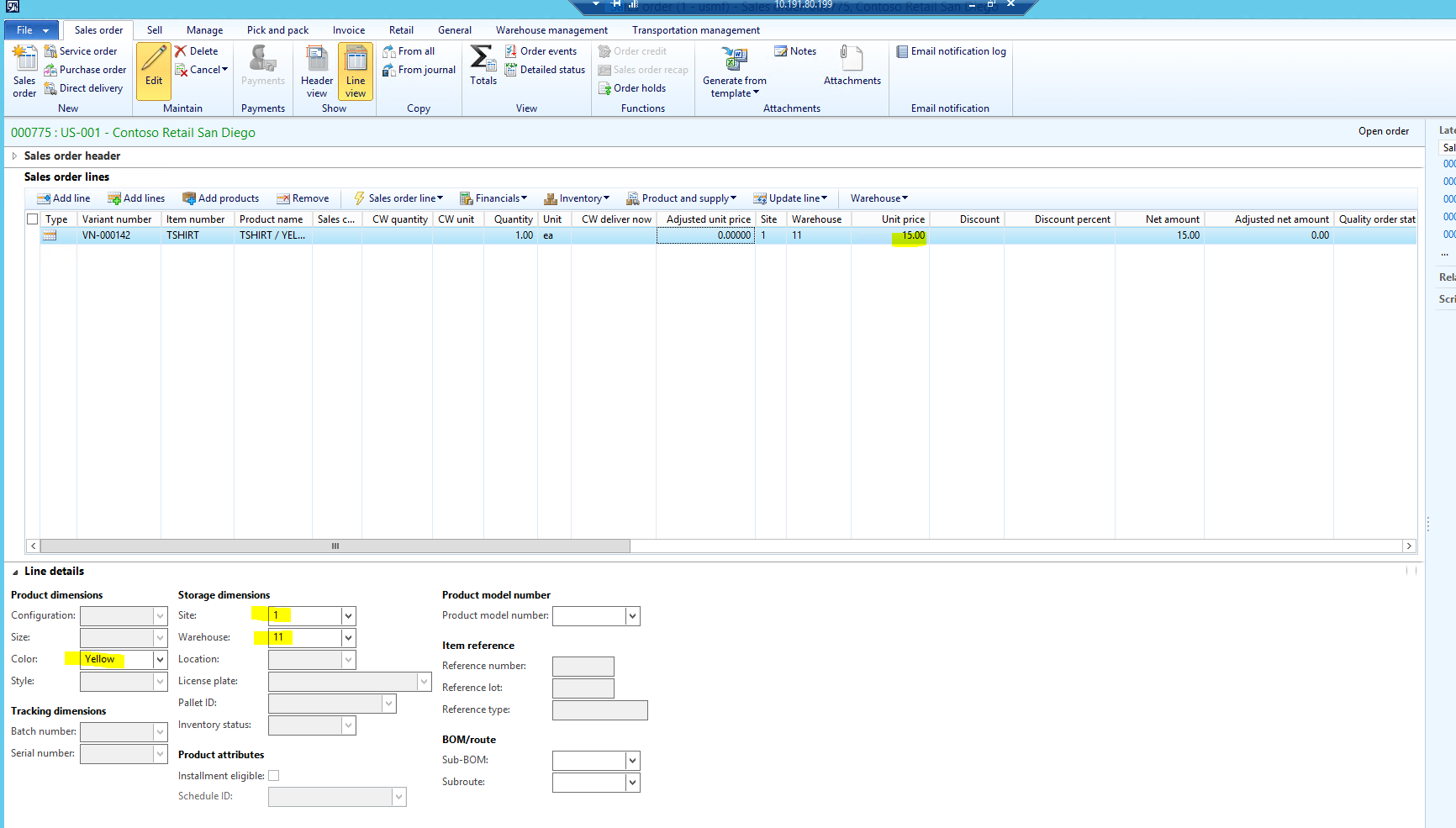
RECAP:
If you are using Trade Agreement Journals to establish defaulting Sales prices based on certain Product dimension attributes, be sure that the Dimension Groups assigned to the Item for which you are selling are configured for ‘For sales prices’.
![Avatar of Ryan Kleven [MSFT]](https://secure.gravatar.com/avatar/a23a379e579b2222122b97292183bb66c9961f3eec3726ae72453e53fb85a09f?s=212&d=mm&r=g)